TvZapeo is a player, not a provider. It does not provide any channels, movies or series: you add your own subscription, legally purchased from the provider of your choice.

IPTV player app for Android TV Your TV, your movies and your series, simply.

TvZapeo brings live TV, replay, the programme guide, movies and series from your IPTV subscription together in one stable, simple app, designed for the sofa and the remote.
Android TV, boxes & tablets 1-week free trial Lifetime licence Smartphone remote Xtream & M3U Profiles & parental control
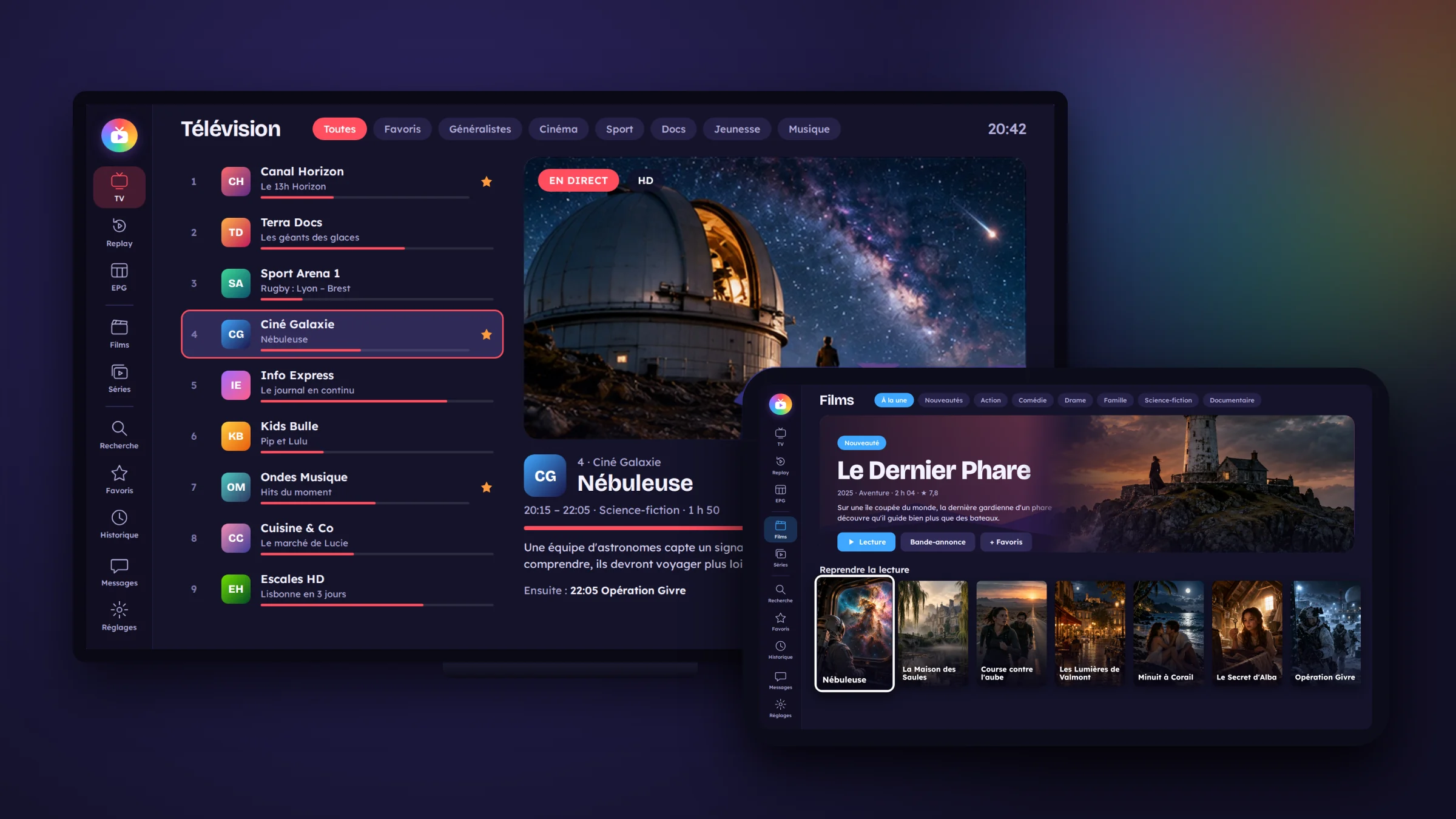
TvZapeo on a TV and a tablet
TVLive channels
ReplayCatch up on a show
GuideTonight and tomorrow
MoviesYour cinema
SeriesThe right episode

Available sections and content depend on your subscription.
Five good reasons to choose TvZapeo

Stable

An in-house playback engine that holds on when your connection or provider weakens, and resumes on its own after a drop.

Simple

Everything works with the arrows and OK on your remote. No technical jargon in the app.

Protects your subscription

Never two connections at once with your provider: your subscription won’t get blocked for one connection too many.

All in one

Live TV, replay, programme guide, movies and series, in a single app.

For the whole family

Profiles, parental control, screen time, read-aloud and larger text.

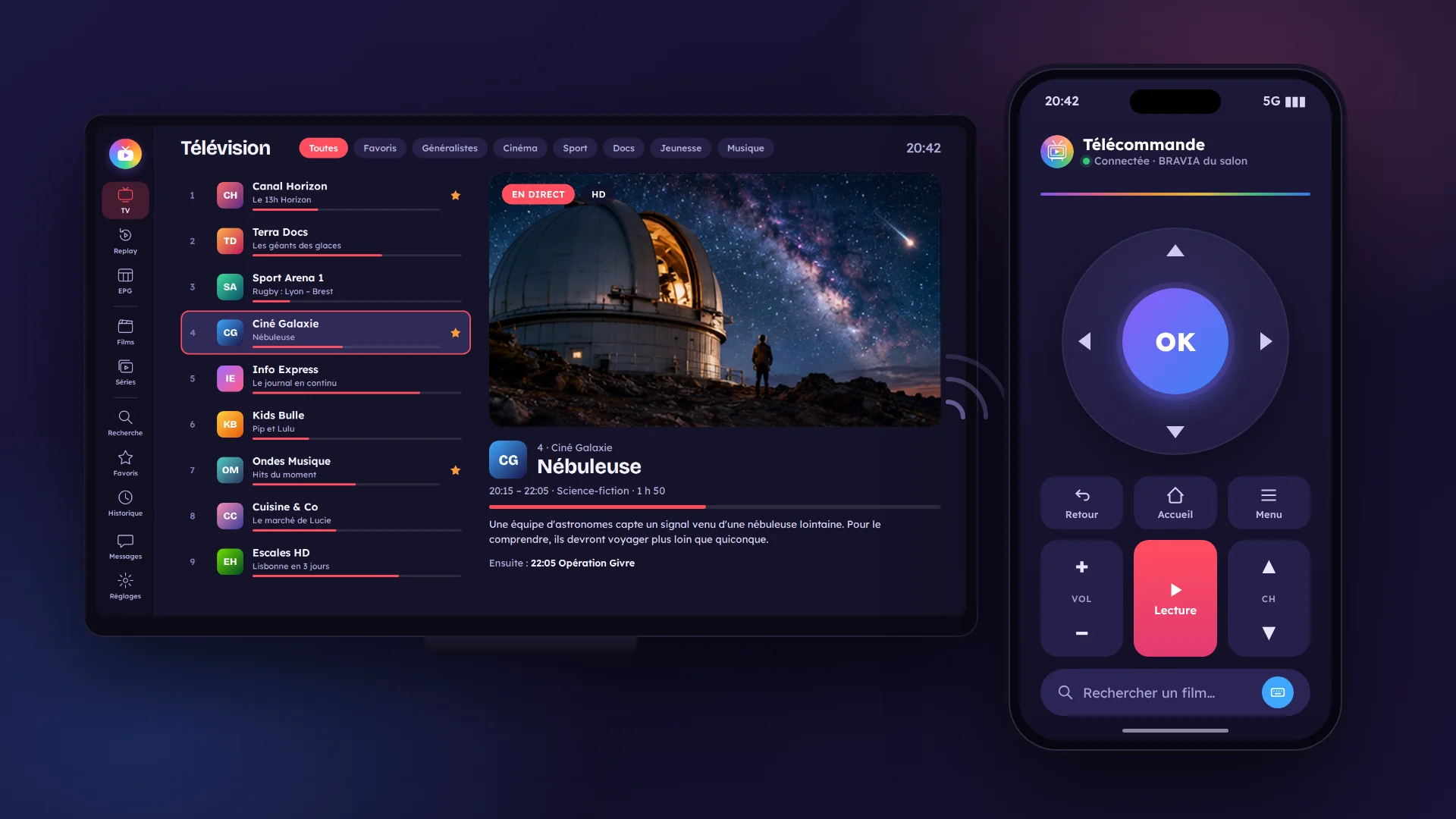
Live TV

All your TV at a glance.

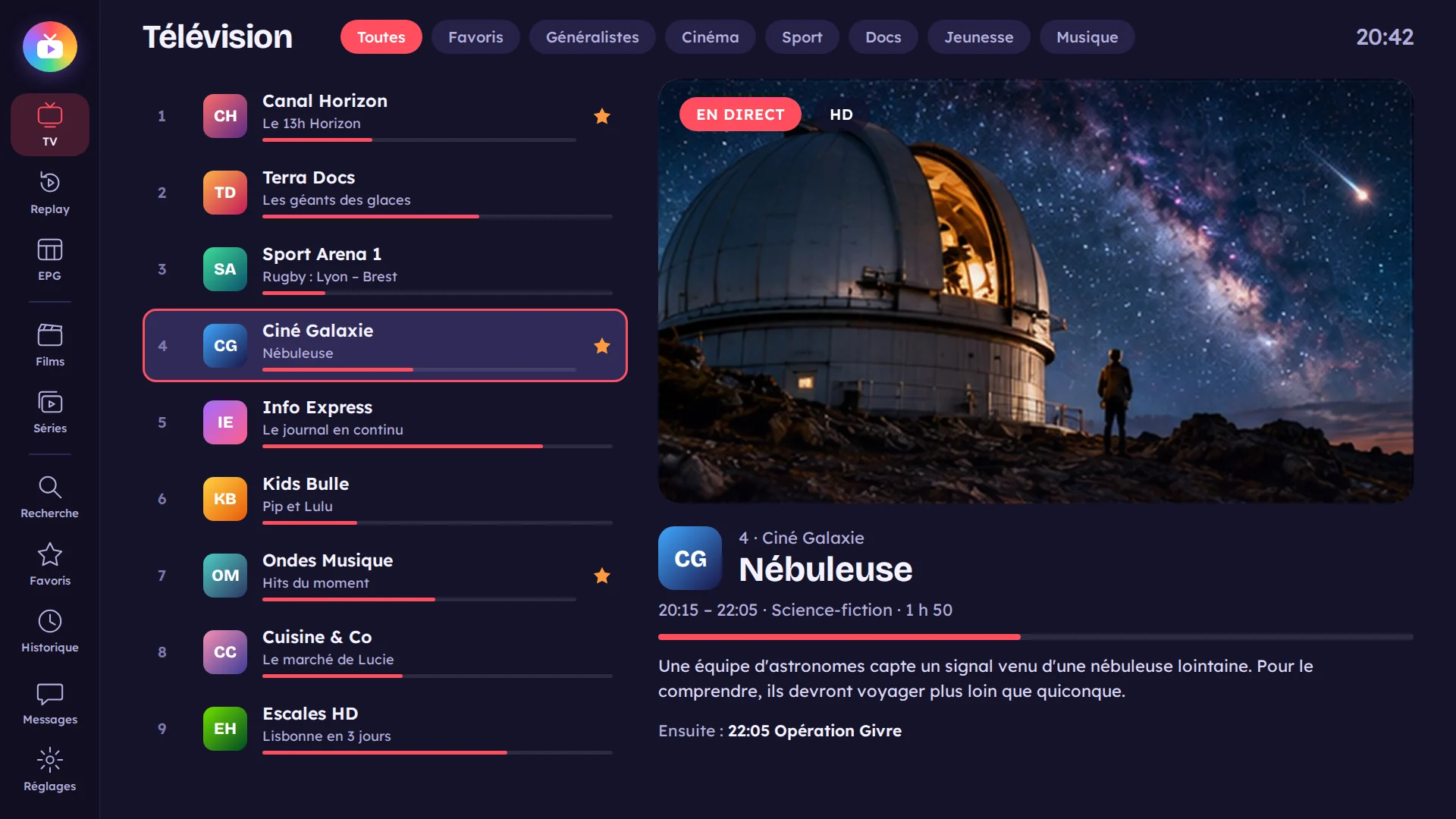
Your channels sorted into lists, with their logo and what’s on right now. In full screen, the up and down arrows zap, and the next channel’s logo appears in the centre.

  • A preview of the channel before full screen
  • “Start” to rewind the current show, then back to live
  • Automatic restart if the stream drops
Live channel list in TvZapeo
Smartphone remote

Your phone becomes the remote.

Scan the QR code on the TV and your phone becomes a remote. Change channels, pick a movie, pause, adjust sound and subtitles, all at your fingertips.

  • Channels, pause, sound and subtitles
  • Addresses, passwords and searches typed on your phone’s keyboard
  • Your subscription link sent from your phone
TvZapeo remote on a smartphone
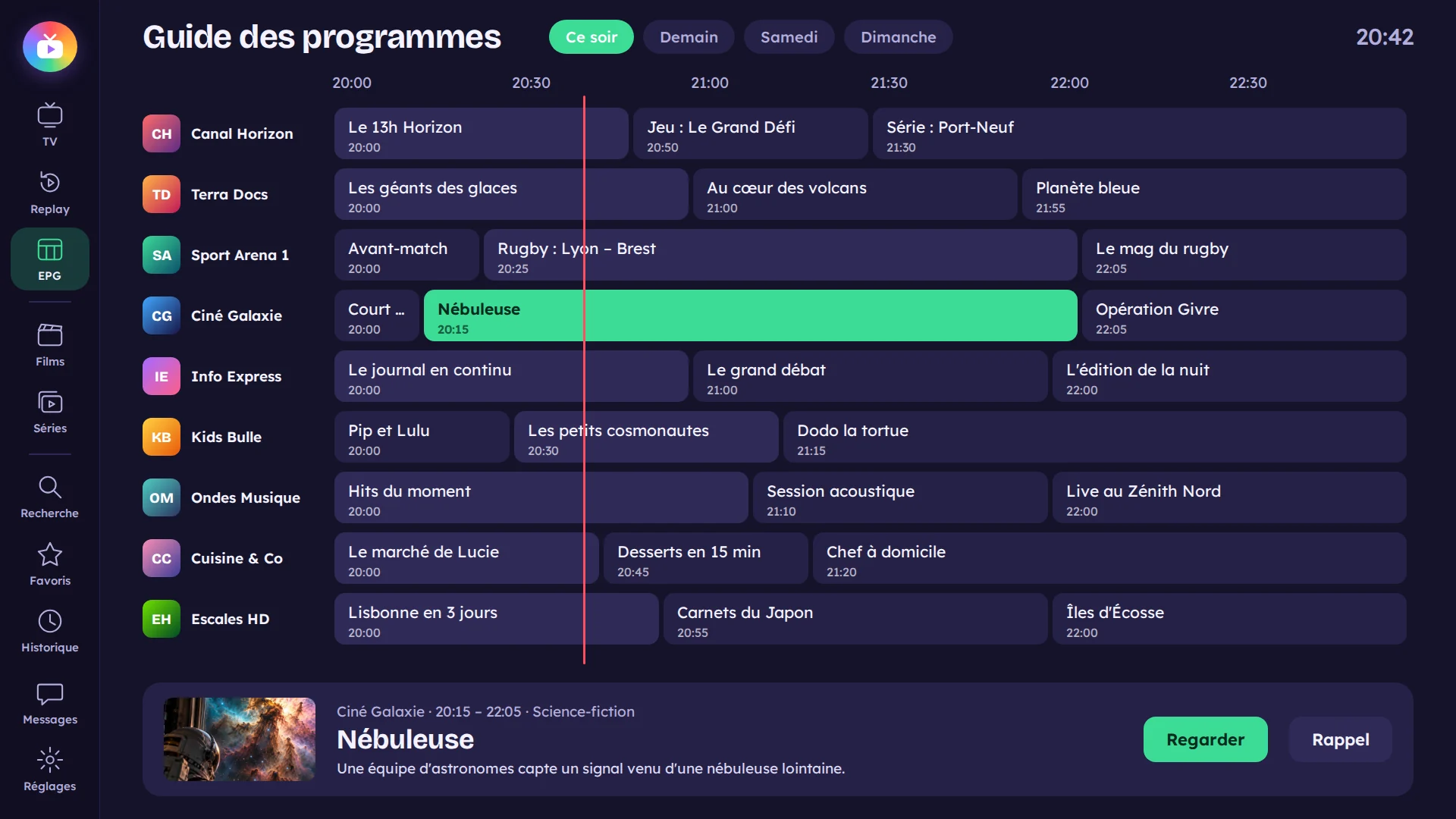
Programme guide

Tonight, tomorrow, all week: you know what to watch.

Four hours of programmes on screen, channels on the left, times at the top, and the current moment clearly marked. The selected channel keeps playing in a small window while you browse.

  • Show details: times, duration, progress and summary
  • “Remind me”: the app offers you the show at the right time
  • Guide missing? TvZapeo finds one elsewhere, and “Wrong guide?” lets you choose
TvZapeo programme guide
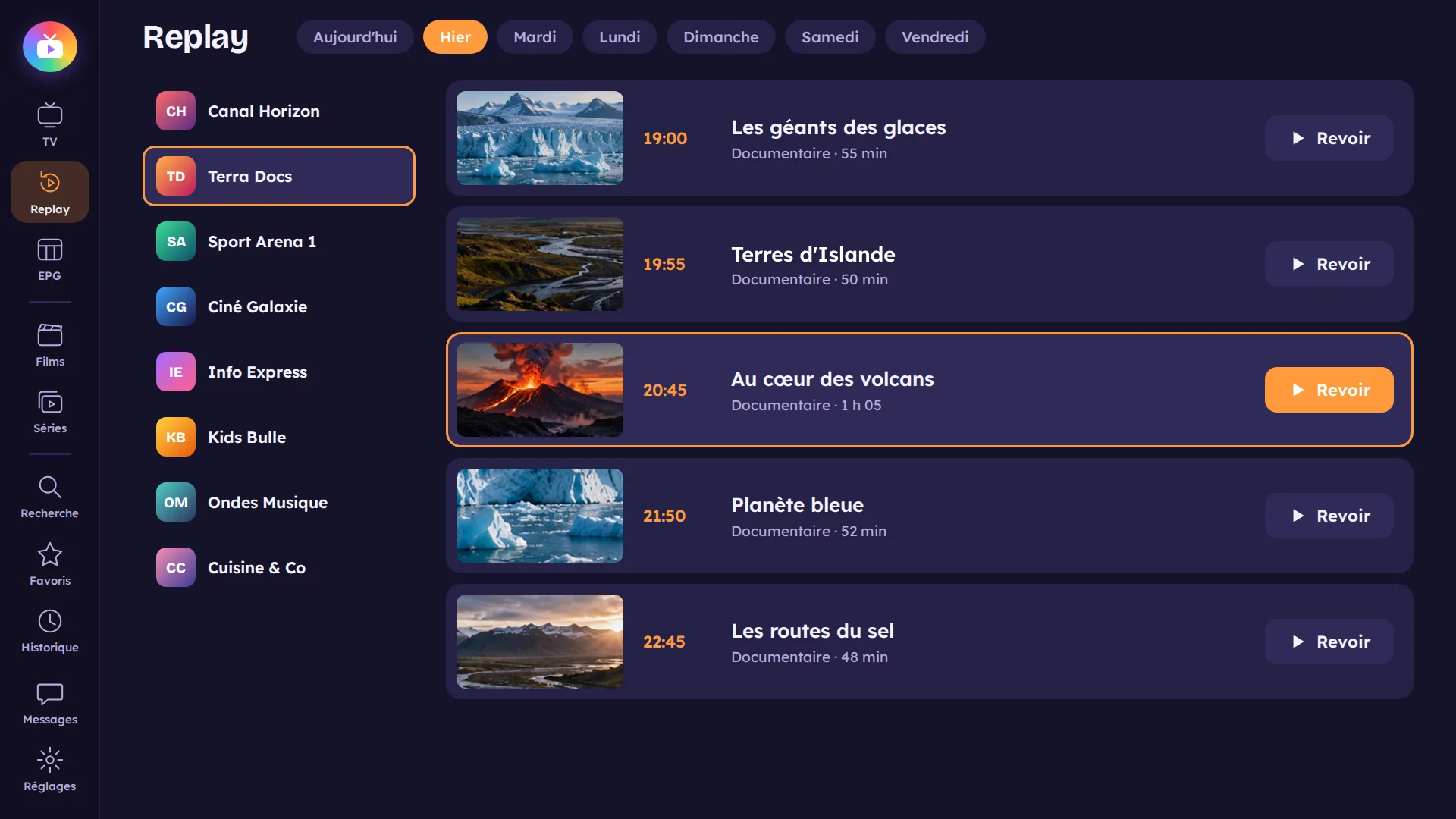
Replay

Missed a show? It's waiting for you.

Past shows from the channels that have replay with your provider, day by day. From the guide, press OK on a past show to play it from the start.

  • Day-by-day browsing
  • Skip forward or back, with a clean restart where you choose
  • A buffer on the device avoids drops when the provider slows down
Replay in TvZapeo
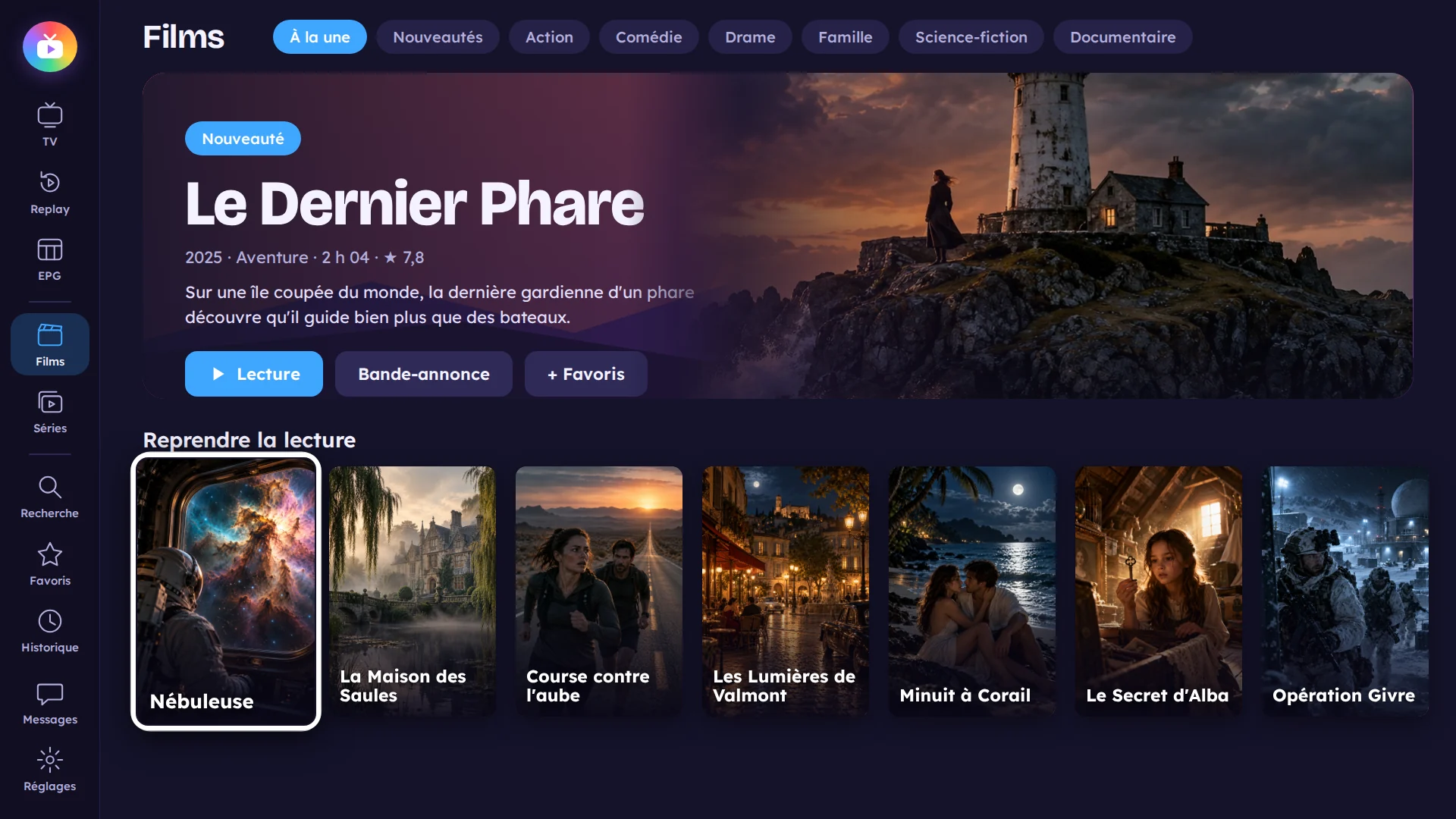
Movies

Your cinema, without leaving the sofa.

Your provider’s movies with their posters, filters by genre and year, and the latest additions. A movie you started resumes where you left off.

  • Filters by genre, year and latest additions
  • “Resume” at the right minute
  • Posters, summaries and cast added automatically
Movie showcase in TvZapeo
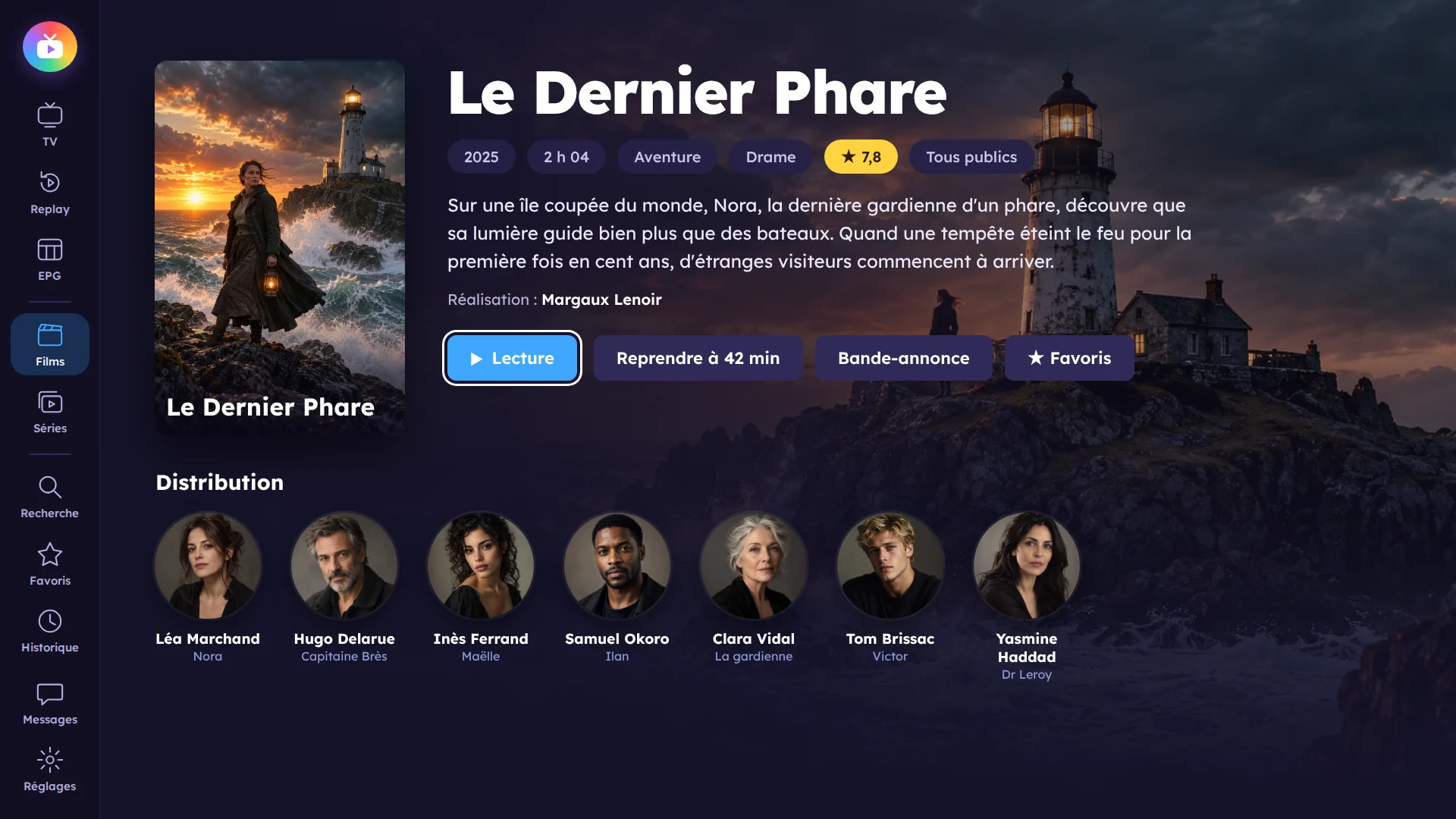
Movie details

Know everything before you press Play.

Summary, running time, cast and roles, enriched automatically. From a movie, open an actor to see their other movies and series in your catalogue.

  • A page for every actor
  • Audio language and subtitles, with online subtitle search
  • Your preferred quality (HD, Full HD…)
Detailed movie page
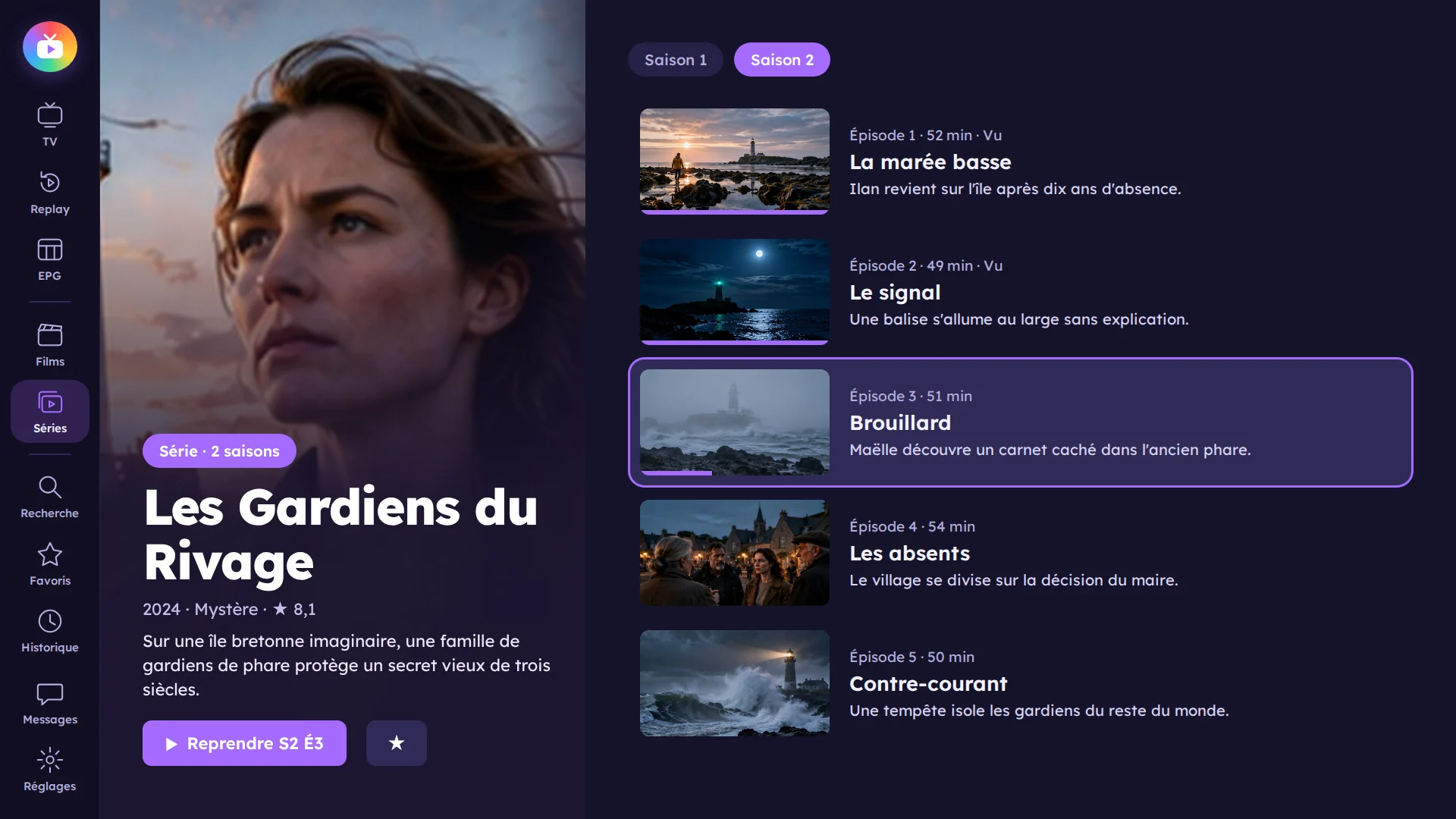
Series

Always the right episode, at the right minute.

Every series by season and episode, with titles and summaries. Watched episodes are marked, and the next episode starts on its own.

  • Seasons and episodes with their summary
  • The next episode plays automatically
  • “Resume” at the right episode and minute
Seasons and episodes of a series
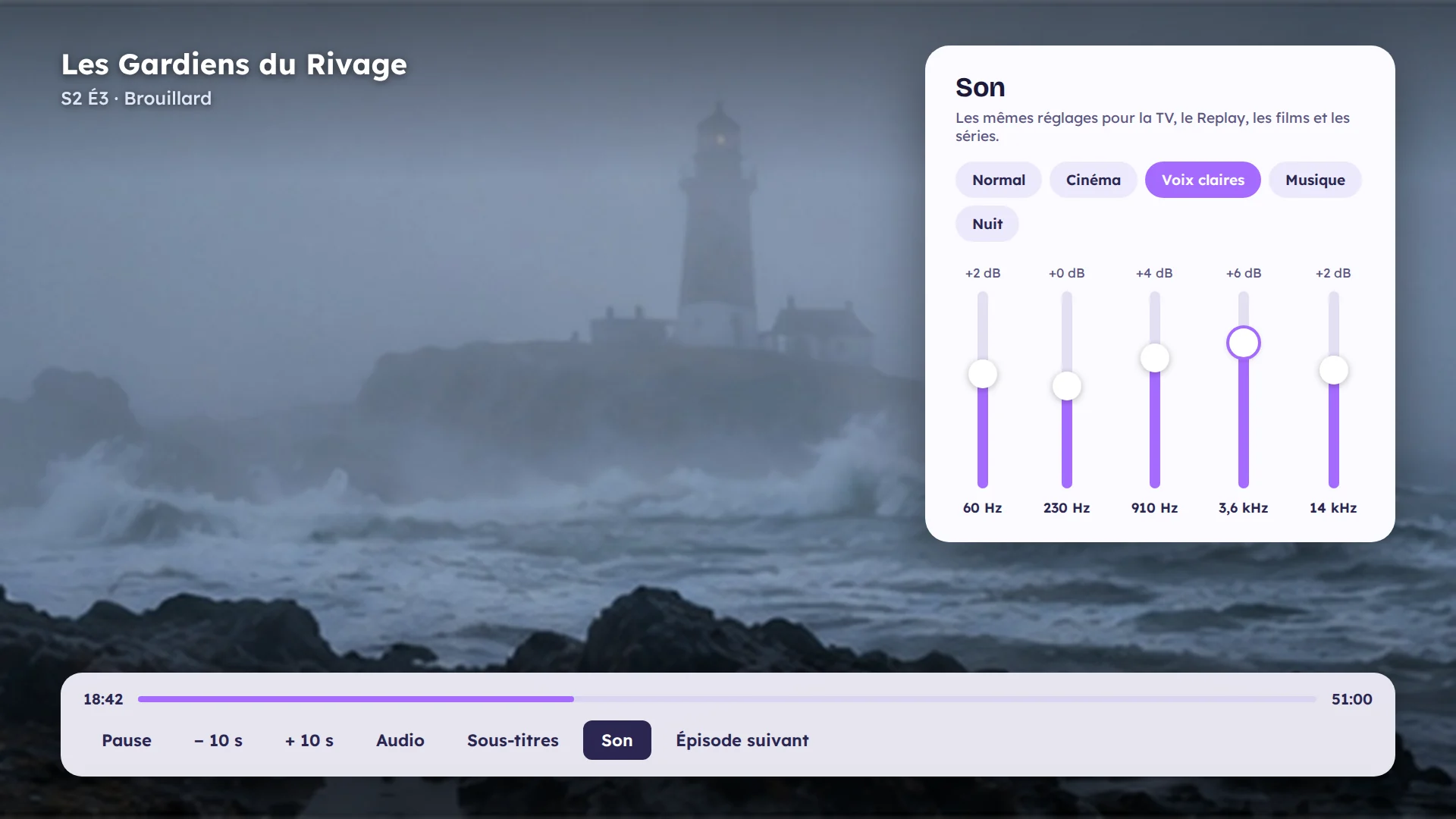
Sound

Sound the way you like it, everywhere.

The same “Sound” window for live TV, replay, movies and series: bass, mid and treble, plus one setting to let your amplifier decode the original sound.

  • Equaliser: bass, mid and treble
  • 5.1 sound decoded by your amplifier or soundbar
  • Audio delay, and screen-off mode for radio, news or concerts
Sound settings in TvZapeo
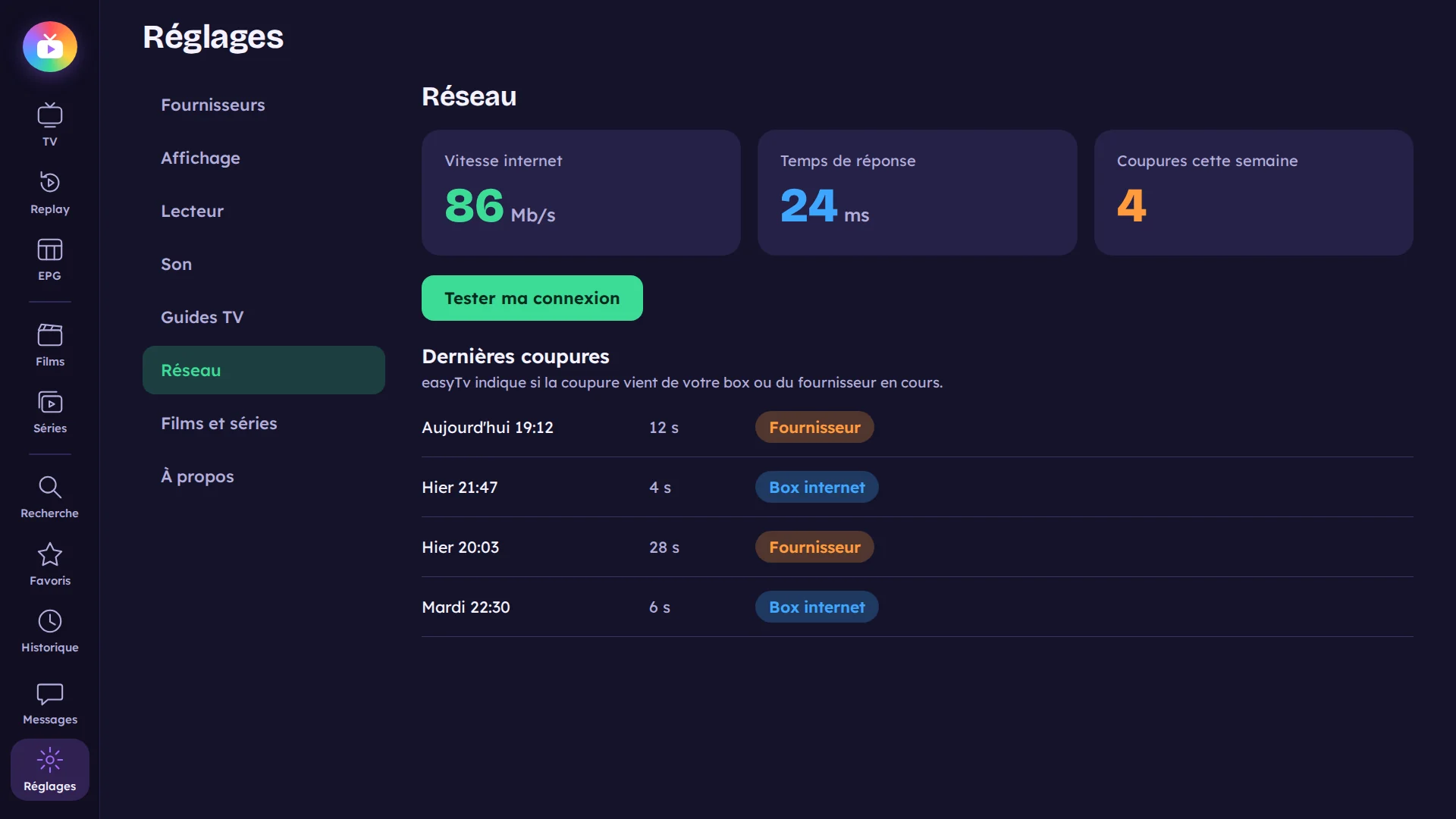
Subscription health

A drop-out? Now you know where it comes from.

A 7-day report shows the drops and whether they come from your internet box or your provider. And a simple test checks your connection for TV, movies, series or replay.

  • The last 7 days at a glance
  • Internet box or provider: where drops come from
  • “Test my connection” in one click
Internet connection monitoring
Protected subscription

One connection only, and your subscription stays safe.

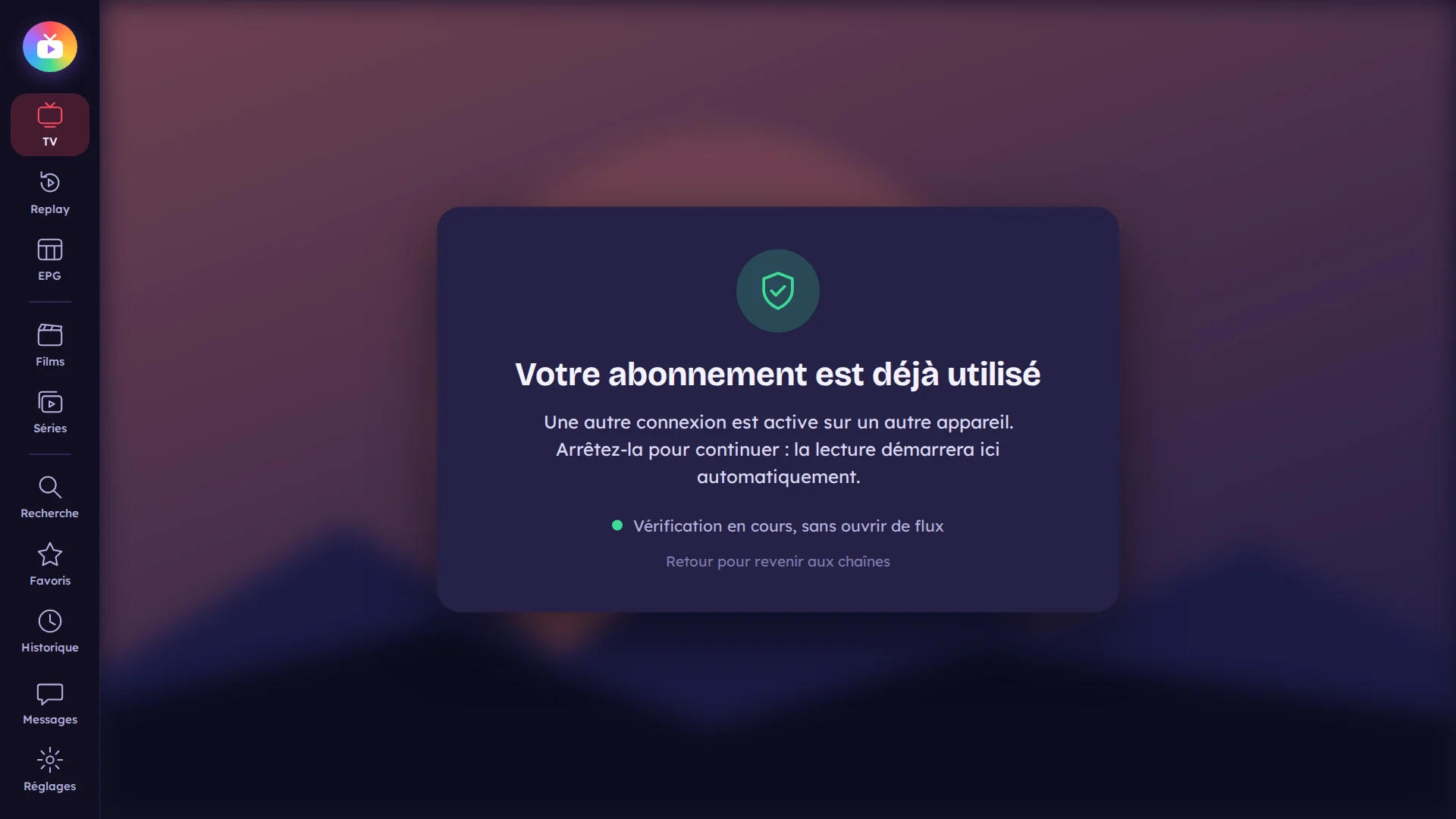
TvZapeo never connects twice at once to your provider. If a connection is already active at start-up, the app tells you and waits, instead of risking a block.

  • Never two connections at once
  • A clear message if another stream is playing
  • A video preview to browse channels without using your subscription
Subscription protection

And also

The details that make TvZapeo pleasant every day, for the whole family.

Profiles

One profile per person, with their avatar, favourites, history and provider.

Parental control

Adult lists and content locked with a code, and daily screen time per profile.

Read aloud

The app reads menus and programmes aloud, with text from normal to very large, bold if needed.

Search, even by voice

One search for channels, movies, series and actors.

Several subscriptions

Add your Xtream or M3U providers and switch between them: TvZapeo tells you which one works best right now.

Your way

Side or top menu, light or dark, your colour. Sort, hide or rename your channels.

Your device, your setup, your country

Everything you need to get started with TvZapeo.

Devices

Android TV, Google TV, Nvidia Shield, Chromecast, tablets: where to install TvZapeo.

Read more →

Guides

Xtream Codes, M3U playlists, TV guide and Replay explained step by step.

Read more →

By country

One price, once. That's it.

1-week free trial, then a lifetime licence. No subscription, updates included.

One simple plan
€15
1 device · Lifetime licence*
One-time payment · no subscription
  • Every feature: live TV, TV guide, Replay, movies and series
  • Updates included, for good
  • Your Xtream and M3U subscriptions, as many as you like
  • Smartphone remote included
  • 7-day free trial, no card needed

Need another device later? Just add a licence: they add up. All about the licence →

* Lifetime licence: for the whole lifetime of the app. See the terms of sale

Frequently asked questions

Does TvZapeo provide channels or movies?

No. TvZapeo is a media player: it provides no channels, movies or series. You use it with your own subscription, from the provider of your choice.

Which devices does TvZapeo work on?

On Android TV and Google TV sets and boxes (Nvidia Shield, Sony, Philips, Chromecast with Google TV…), and on Android tablets in landscape, by touch.

How does the free trial work?

Install TvZapeo and use it freely for a week. After that, the app offers to activate a licence by scanning a QR code with your phone.

Do I still need the TV remote?

It's enough, but you can also use your smartphone: the TvZapeo remote is built in and very handy for typing a title.

All questions

Ready to make your TV simpler?

Install TvZapeo and enjoy a free week, no credit card needed.

TvZapeo is a player, not a provider. The app contains and sells no channels, movies or series. The images on this site are mock-ups illustrated with AI-generated visuals: channels, shows, movies and actors are fictional. A TvZapeo licence unlocks the app's features only: it does not give access to any channel or content. TvZapeo is not affiliated with any provider and does not endorse the use of illegal sources.